Blog · August 10, 2026
AI Clothing Mockup Generator: How It Works and How to Use One
Short answer
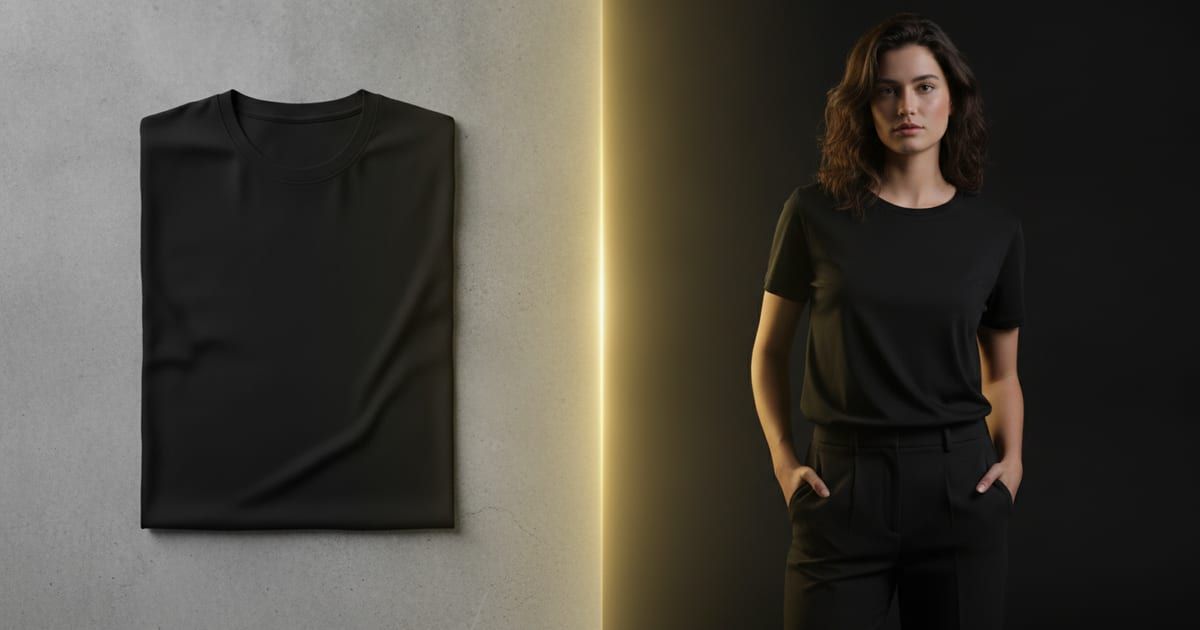
An AI clothing mockup generator creates realistic product images from a photo of your garment: you upload a flat lay, and it generates the garment on a model or as a 3D mockup in seconds. Unlike template tools that paste your design onto a stock blank, an AI generator like Mockup Tool builds the image from your actual product, so the fit, fabric, and print are accurate and the result is unique to your store.
For years, getting a garment onto a model meant a photoshoot; getting it onto a mockup meant pasting your design onto a stock template every other seller also used. An AI clothing mockup generator collapses both into a few seconds: you give it a photo of your garment, and it produces a realistic product image built from that garment. Here’s what these tools actually do, how they differ from the template generators you already know, and how to get results that look like a real shoot.
What is an AI clothing mockup generator?
An AI clothing mockup generator is a tool that turns a plain photo of a garment into a finished product image — most usefully, the garment shown on a model. The important distinction is where the image starts. Template “generators” start from a stock blank and composite your artwork onto it. A true AI generator starts from your actual garment photo and generates the scene around it, so the shirt in the result is the shirt you sell.
How it works
The workflow is short enough to run from a phone between customers:
- You photograph your garment laid flat, or upload an existing flat photo.
- The AI generates the garment on a realistic model, with natural drape and lighting.
- You get the result in about 15 seconds, exported at 4K — and can spin some as interactive 3D models.
- Vary the model and background to produce a full set of listing images from one photo.
AI generator vs template mockup
This is the difference that matters. A template mockup is fast but shared — the garment, model, and pose belong to a library thousands of shops draw from, and your design floats on top rather than sitting in the fabric. An AI generator built from your product gives you an image that is accurate to what you ship and unique to your store, because it never existed until you generated it from your garment. For a quick throwaway draft a template is fine; for a listing that has to sell, the generated image wins.
How to use one, step by step
- Order a sample of your design so you’re generating from your real product.
- Shoot a clean flat lay: steam the garment, shoot straight down in soft window light.
- Upload it to the generator — Mockup Tool does this on iPhone.
- Generate several variations across models and backgrounds.
- Export and drop them straight into your Etsy or Shopify listing.
Drag the handle to see a flat input photo become an on-model image:


What to look for in a generator
- Builds from your garment photo, not a stock blank — this drives accuracy and uniqueness.
- On-model output, and interactive 3D if you want to show the garment from any angle.
- A range of models and body types so images match your audience.
- High-resolution export (4K) for listings and print.
- Runs where you work — Mockup Tool is a mobile-first iOS app.
Who it’s for
Etsy and print-on-demand sellers use it to replace generic template photos; small clothing brands use it for catalog images without a shoot; designers use it to preview a design on a real garment before producing it. In each case the economics are the same — one phone photo stands in for a studio, a model, and a photographer. You can try it with our free mockup generator.
The category is young, so “AI clothing mockup generator” covers everything from template tools with an AI label to generators that truly build from your product. The one question that sorts them is simple: does the image start from your garment, or from someone else’s blank? That’s what decides whether your listings look like a brand or like everyone else’s.
Frequently Asked Questions
What is an AI clothing mockup generator?
A tool that turns a photo of your garment into a finished product image — typically the garment shown on a realistic model — in seconds. The best ones build the image from your actual garment rather than compositing your design onto a stock template.
How is it different from Placeit or Canva templates?
Template tools paste your design onto a stock blank shared by thousands of shops. An AI generator like Mockup Tool builds the image from your real garment, so the fit, fabric, and print are accurate and the result is unique to your store.
Is there a free AI clothing mockup generator?
Mockup Tool is free to download on iOS, with generation available before you subscribe. A full set of on-model images costs a fraction of a single studio photo.
Are AI mockups good enough for real listings?
Yes for catalog and listing images — they’re generated at 4K from your product and look like a shoot. They’re AI previews, so they complement rather than replace a physical fitting when exact fabric behavior is critical.
