Polo Shirt Mockup Generator
Collars, plackets, and embroidered logos — rendered on a model exactly as they are.

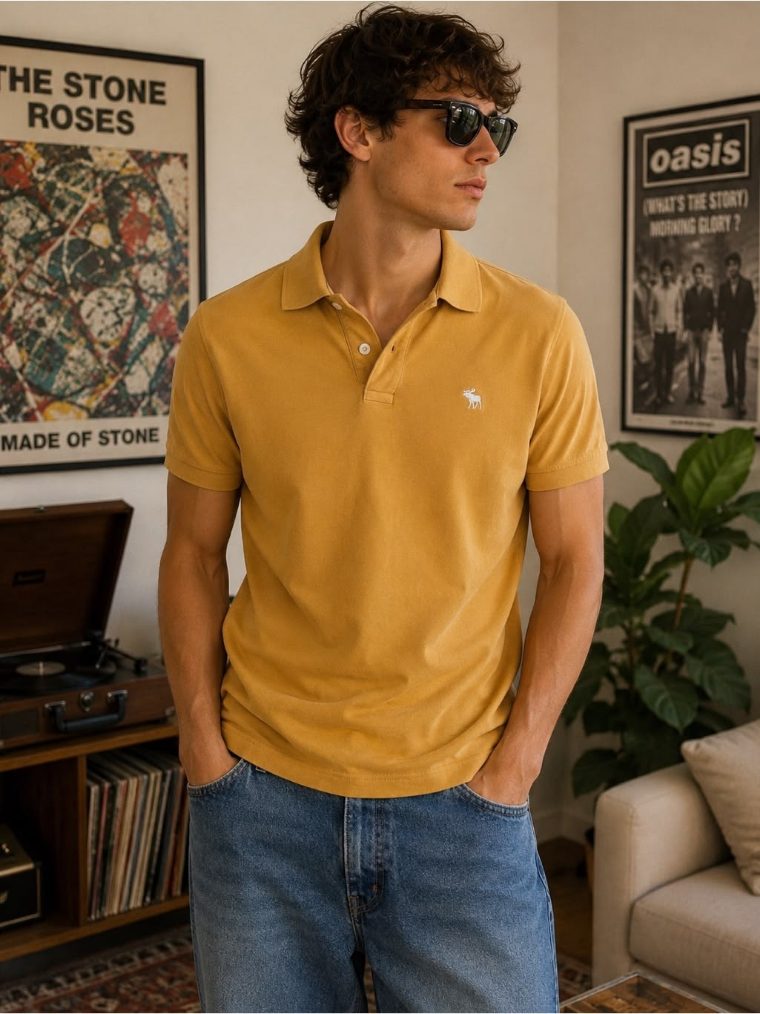
Polos are corporate wear, golf wear, and quiet-luxury staples — markets where buyers judge quality from structure: how the collar stands, how the placket sits, where the embroidered logo lands. Flat photos flatten all of it, and generic templates get the details wrong. Mockup Tool generates a model wearing your actual polo from one flat photo, keeping the structure honest.
For uniform suppliers and embroidery shops this is a quiet superpower: instead of photographing every client logo variant, photograph the finished polo once and generate clean on-model shots for the proposal, the web store, and the client’s approval email.
Why Mockup Tool
Structure preserved
Collar shape, button placket, and side vents render true to your garment — the details polo buyers actually inspect.
Embroidery-accurate
Chest logos and monograms carry over exactly as photographed, which makes client approvals faster for custom apparel shops.
B2B-ready visuals
Clean studio shots suit corporate catalogs and uniform proposals where template-looking images undermine trust.
How It Works
Snap a flat photo
Lay the garment flat and photograph it with your iPhone — no studio or equipment needed.
AI generates the model
The AI maps your real garment onto a realistic model with natural drape, lighting, and texture.
Export in 4K
Download studio-quality images ready for listings, ads, and social — in about 15 seconds.
Frequently Asked Questions
Does the mockup keep the collar and placket looking natural?
Yes. The AI generates the garment from your photo, so structural details like collars, plackets, and cuffs keep their real shape on the model.
Can embroidery shops use this for client previews?
Absolutely — photograph the embroidered polo flat and send the client an on-model preview the same day, no photoshoot needed.
Does it work for performance golf polos?
Yes. Technical fabrics and subtle patterns are preserved from the photo, so performance polos look technical rather than generic.
Can I show the same polo in multiple colors?
Photograph each colorway flat and generate matching on-model shots — the fastest way to build a consistent color grid for your store.
Ready to Create PROFESSIONAL MOCKUPS?
Available for iOS