Placeit vs Mockup Tool
Templates show someone else’s shirt. Mockup Tool shows yours.

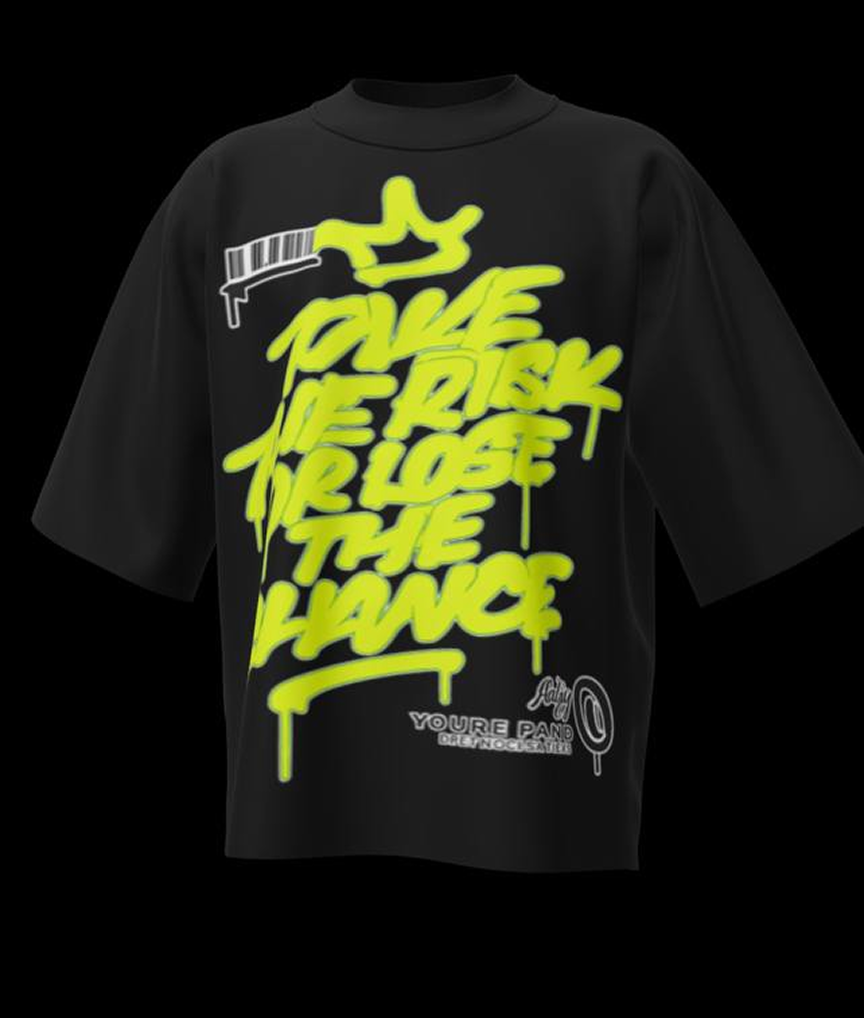
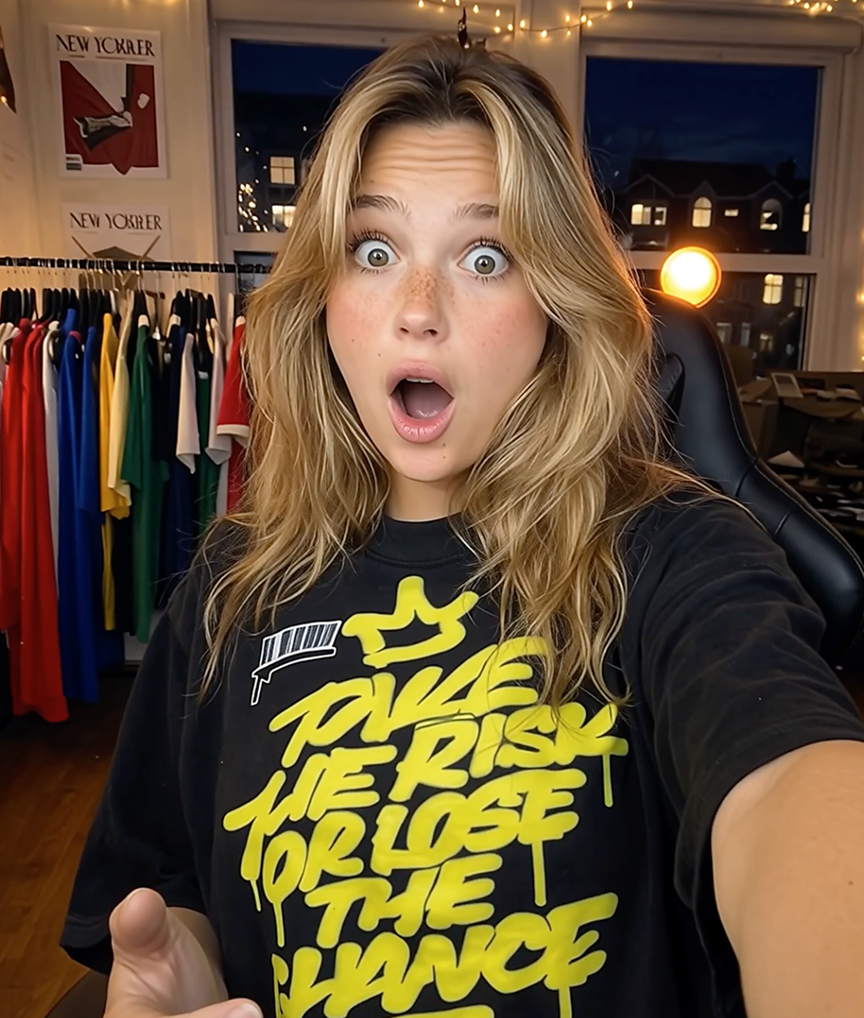
Placeit is the biggest name in template mockups: a huge library of stock photos and videos you can place artwork into. That model has a built-in ceiling — your product photo is fundamentally a picture of someone else’s garment with your design composited on, and the same templates are used by hundreds of thousands of sellers. Mockup Tool takes the opposite approach: you photograph your real garment, and AI generates a model wearing that exact piece.
The practical differences follow from that. Print placement, fabric, and fit are always accurate because they come from your photo. No two stores end up with the same visual. And instead of browsing a template catalog on a desktop subscription, the whole workflow lives in a free-to-download iPhone app.
Why Mockup Tool
Your garment, not a stock photo
Every mockup is generated from your actual product — real print placement, real fabric, real fit — instead of composited onto a template model.
Visuals no one else has
Placeit templates are shared across its entire user base. Photos generated from your own garment are unique to you by construction.
Mobile-first, free to start
No desktop workflow or subscription paywall to reach the good templates — download the iOS app free and generate from your camera roll.
How It Works
Snap a flat photo
Lay the garment flat and photograph it with your iPhone — no studio or equipment needed.
AI generates the model
The AI maps your real garment onto a realistic model with natural drape, lighting, and texture.
Export in 4K
Download studio-quality images ready for listings, ads, and social — in about 15 seconds.
Frequently Asked Questions
What is the main difference between Mockup Tool and Placeit?
Placeit composites your design file onto stock template photos. Mockup Tool generates a new photo of your real, physical garment on an AI model — no template library involved.
Is Mockup Tool cheaper than Placeit?
Mockup Tool is free to download with premium upgrades in-app, while Placeit’s unlimited access runs on a monthly subscription. For garment mockups specifically, most sellers spend less.
What does Placeit do that Mockup Tool doesn’t?
Placeit also covers logos, video templates, and non-apparel mockups. Mockup Tool focuses on doing one thing at maximum quality: real clothing on AI models.
Can I switch if I already have Placeit designs?
Yes — if you sell physical apparel, photograph your printed products flat and regenerate your listings. Many sellers run both during the transition and keep what converts.
Guides
- The Best Placeit Alternatives for Apparel MockupsPlaceit is popular, but it’s a template library — and that’s not what every apparel seller needs. Here are the alternatives, grouped by what you’re actually trying to do.
- Placeit vs Canva vs AI Mockup Generators: Which Is Right for Your Apparel?Three ways to make apparel mockups, one big difference between them: whether the photo is yours or everyone’s. Here’s how Placeit, Canva, and AI generators actually compare.
- Apparel Mockup Generator: A Complete GuideNot all apparel mockup generators do the same thing. Here are the three types, what each is good for, and how to pick the one that fits your store.
- The Best Smartmockups Alternatives for ApparelSmartmockups folded into Canva, and if you just want realistic photos of your clothing, a general design suite isn’t it. Here are the alternatives, by what you need.
- The Best Free Clothing Mockup Generators“Free” hides very different trade-offs — watermarks, sameness, or limits. Here’s what separates the free clothing mockup generators worth using, and how to pick.
- Mockup Maker vs Mockup Generator: What’s the Difference?The two terms get used interchangeably, but they describe opposite workflows. Here’s what separates a mockup maker from a mockup generator, and how to pick.
Ready to Create PROFESSIONAL MOCKUPS?
Available for iOS