Blog · September 25, 2026
Apparel Mockup Generator: A Complete Guide
Short answer
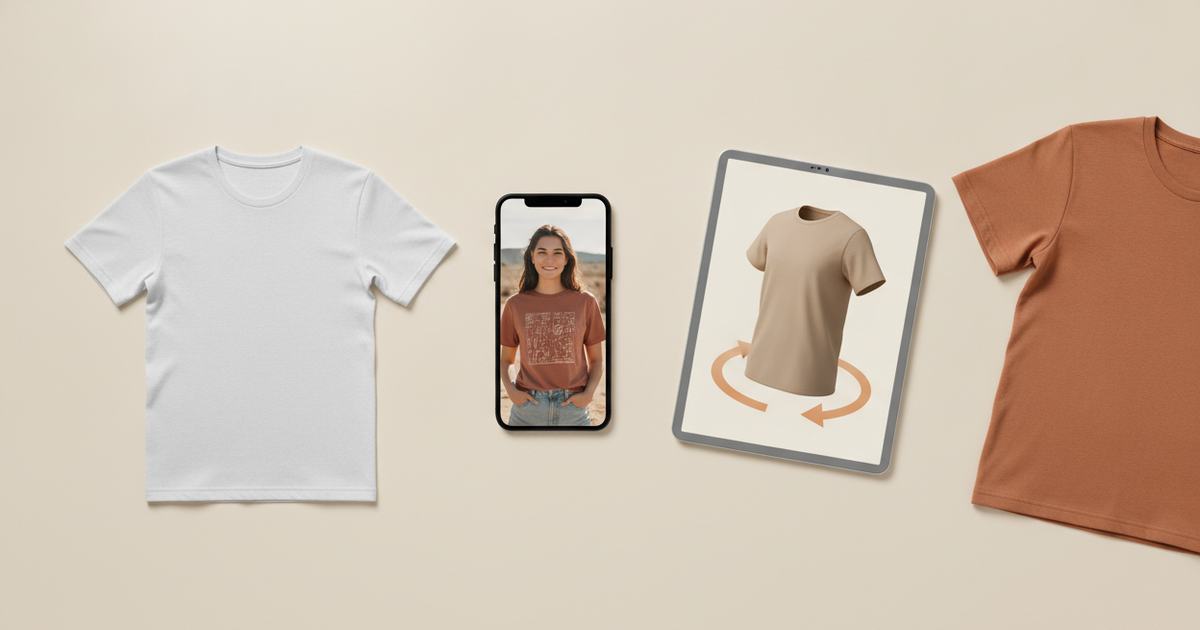
An apparel mockup generator turns your design or garment into a product image without a photoshoot. There are three kinds: template generators (paste a design onto a stock blank), AI generators (build an on-model image from your real garment), and 3D generators (a rotatable model). For unique, accurate listing photos, an AI generator like Mockup Tool is usually the best fit because the image comes from your actual product.
“Apparel mockup generator” covers three genuinely different tools, and picking the wrong type is why a lot of sellers end up frustrated. One pastes your artwork onto a stock photo, one builds a photo from your real garment, and one gives you a 3D model to spin. They solve different problems and cost different things. This guide sorts out which is which, so you can choose the one that actually fits what you sell.
The three types of apparel mockup generator
- Template generators (Placeit, Canva, Mockey): pick a pre-shot blank, drop your design on, export. Fast and cheap; the garment isn’t yours and the blank is shared.
- AI generators (Mockup Tool): photograph your real garment flat and the AI builds an on-model image from it. Unique to your product; fit and print stay accurate.
- This makes them the closest thing to a photoshoot without one.
- 3D generators: turn the garment into a rotatable 3D model so you can view every angle and catch print-placement errors before production.
How to choose the right one
Start from the job, not the tool. Need a quick throwaway visual or a social post? A template generator is the fastest route. Need listing photos that look like a real brand shot them and don’t match every other store? An AI generator, because the image is built from your product. Selling something where the design wraps around the body, or reviewing a design before a print run? A 3D generator earns its place. Most stores end up using an AI generator for listings and a template tool for the occasional quick draft.
Free vs paid
Most generators are free to try and charge for volume or resolution. Watch for watermarks and export caps on free tiers — a mockup you can’t use at full resolution isn’t really free. Mockup Tool is free to download on iPhone with generation available before you subscribe, so you can test the output on a real garment before paying; unlimited generation is the paid tier. Try the free mockup generator to see the result on your own product first.


How to use one well
- Feed it a clean input: for AI, a flat, well-lit, wrinkle-free photo sets the ceiling for the result.
- Generate on more than one body type so the images reflect your actual customers.
- Export at 4K when the image is headed for a listing or print, not just screen.
- Keep a consistent backdrop across a collection so your store reads as one brand.
Common mistakes
The two big ones: using a template generator and wondering why your listings look generic (they’re built on a blank thousands of shops share), and feeding an AI generator a messy flat lay and blaming the tool for a messy result. Match the type to the job and give it a clean input, and an apparel mockup generator does in seconds what used to take a shoot. For a deeper look at how the AI kind works, see our guide to the AI clothing mockup generator.
Frequently Asked Questions
What is an apparel mockup generator?
A tool that creates a product image of clothing without a photoshoot. Template generators paste your design onto a stock blank, AI generators build an on-model image from your real garment, and 3D generators produce a rotatable model. Each suits a different need.
Which type of mockup generator is best for a store?
For listing photos that are unique and accurate, an AI generator like Mockup Tool is usually best because the image is built from your actual product. Template generators are better for quick drafts, and 3D generators for reviewing how a design wraps around a garment.
Is there a free apparel mockup generator?
Yes — most have free tiers, though many limit resolution or add watermarks. Mockup Tool is free to download on iOS with generation available before subscribing, so you can test the output on your own garment before paying for unlimited use.
How do I get the best results from a mockup generator?
Give it a clean input — for an AI generator, a flat, evenly lit, wrinkle-free photo — generate on a couple of body types, and export at 4K for listings. Keep a consistent backdrop across a collection so the store looks like one brand.
