Oversized T-Shirt Mockup Generator
Show the real drape and boxy fit of your oversized tees — the thing flat photos can never capture.

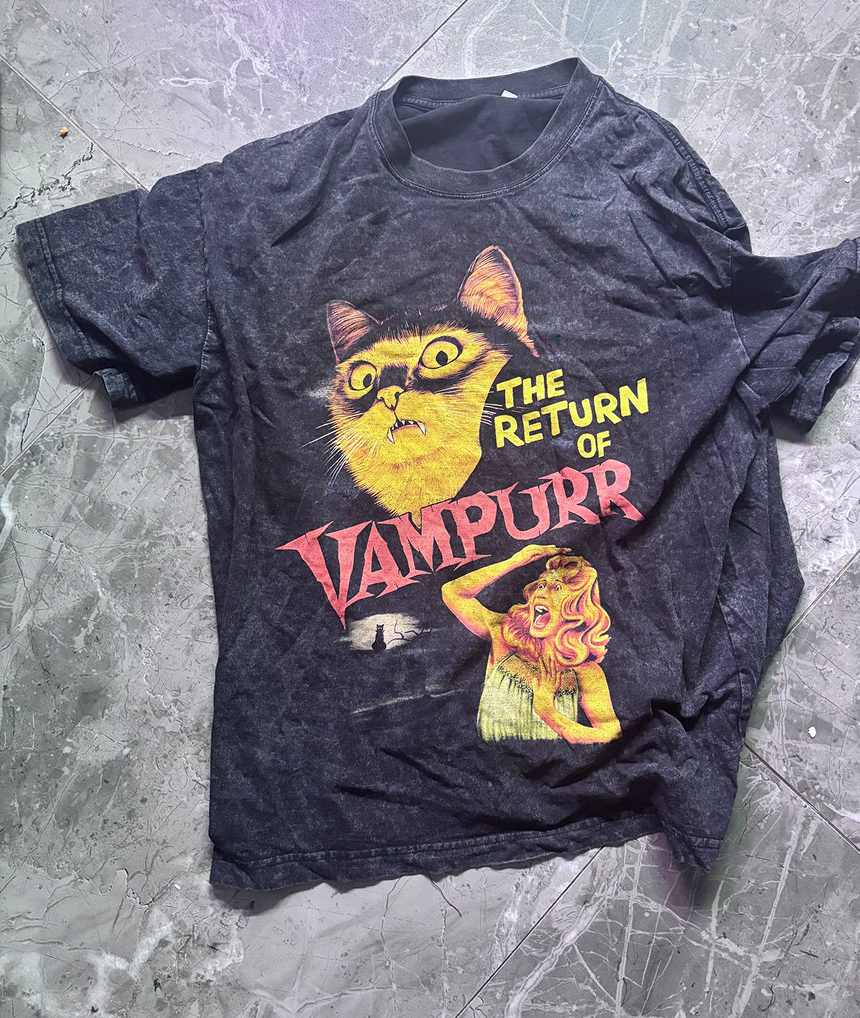
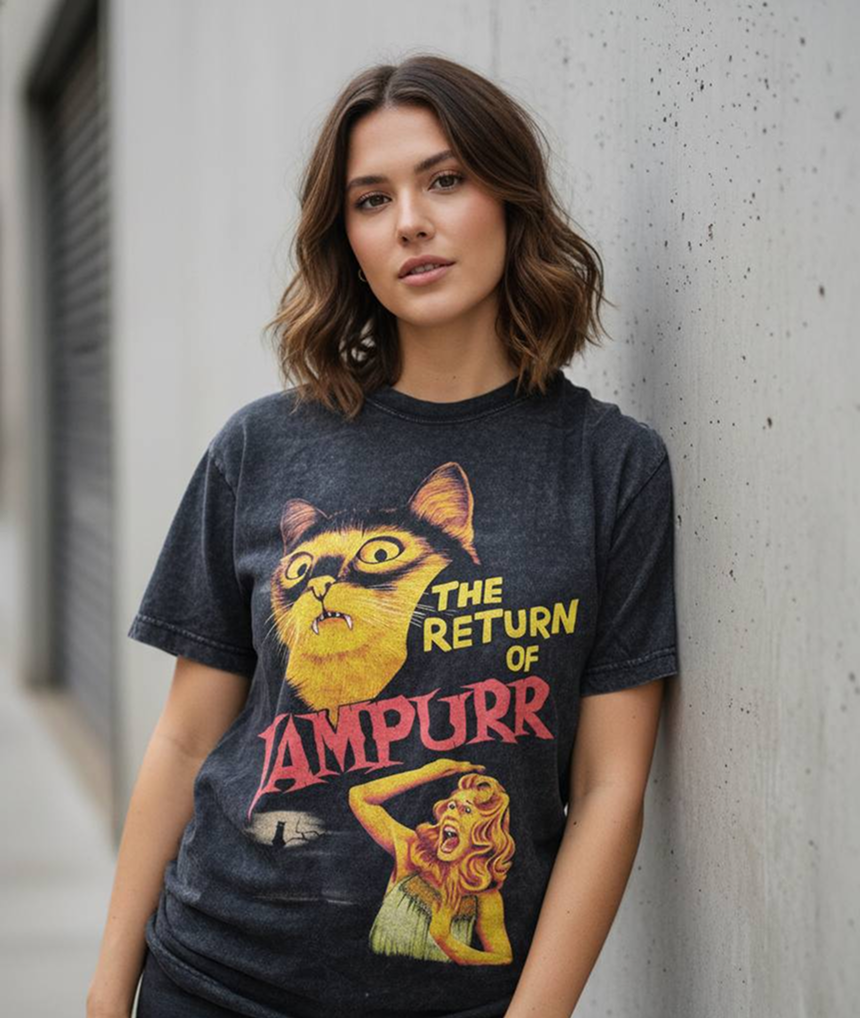
Oversized tees live or die by their silhouette. A flat lay can show the print, but it cannot show how the shoulders drop, how the body drapes, or where the hem falls — and stock templates almost never carry a true oversized cut, so your relaxed-fit design ends up displayed on a slim regular-fit model. Mockup Tool generates the mockup from a photo of your actual garment, so the proportions customers see are the proportions they get.
That accuracy is exactly what streetwear buyers look for. Angled shots that show silhouette sell oversized styles, and AI-generated model photos let you produce a full set of them — front, styled, on different body types — without booking a single shoot.
Why Mockup Tool
True-to-fit silhouette
The AI preserves the actual cut of your garment, so drop shoulders and boxy bodies look oversized on the model — not stretched onto a slim template.
Streetwear-ready styling
Generate models and backdrops that match streetwear aesthetics — urban settings, natural poses, campaign-style lighting.
A full drop in one evening
Mock up an entire collection from flat photos in minutes per piece, and get consistent visuals across every product in the drop.
How It Works
Snap a flat photo
Lay the garment flat and photograph it with your iPhone — no studio or equipment needed.
AI generates the model
The AI maps your real garment onto a realistic model with natural drape, lighting, and texture.
Export in 4K
Download studio-quality images ready for listings, ads, and social — in about 15 seconds.
Frequently Asked Questions
Why do oversized tees look wrong in normal mockup generators?
Template-based tools paste your artwork onto a standard-fit stock photo, so the oversized cut disappears. Mockup Tool generates the image from a photo of your real garment, keeping the true silhouette.
Can I show the same oversized tee on different body types?
Yes. You can generate diverse AI models so customers can see how the relaxed fit looks across body types — a proven way to reduce sizing questions and returns.
What photo should I start from?
A simple flat lay works best: lay the tee on a clean surface, shoot from above in decent light with your iPhone, and let the AI handle the rest.
Can I use the mockups for paid ads?
Yes. Exports are high-resolution 4K images suitable for Instagram and TikTok ads, marketplace listings, and your own store.
Ready to Create PROFESSIONAL MOCKUPS?
Available for iOS