Blog · July 29, 2026
Placeit vs Canva vs AI Mockup Generators: Which Is Right for Your Apparel?
Short answer
Placeit and Canva are template libraries: you drop your design onto a stock garment photo, which is fast but shared with thousands of other sellers. AI mockup generators like Mockup Tool work the other way — they build the image from a photo of your actual garment, so the result is unique to your store and matches your real product. Use a template tool for quick throwaway drafts; use an AI generator when the photo represents a product you actually sell.
Placeit, Canva, and AI mockup generators all promise the same thing — professional product images without a photoshoot — but they get there in fundamentally different ways. Two of them hand you a stock garment to paste your design onto; the third builds the image from your own product. That single distinction decides how unique your listings look and whether the photo actually matches what you ship, so it’s worth understanding before you commit to a workflow.
The core difference: stock template vs your real garment
A template mockup starts with a photo someone else shot of a blank garment. You upload your artwork, it’s composited onto the placement zone, and you download the result. An AI generator starts from the opposite end: you photograph the garment you actually sell, and it generates the model shot from that. The template route is faster to a first image, but the garment in it isn’t yours — the fit, fabric, and blank are whatever the library shot, and the same photo is available to everyone else on the platform.
Placeit: the biggest template library
Placeit (owned by Envato) is one of the largest apparel mockup libraries — thousands of t-shirt, hoodie, and apparel templates on a subscription, plus design and video tools. It’s fast and predictable: pick a template, drop your design, export. The trade-off is the one every template library shares — the garment and model aren’t yours, and thousands of other sellers can use the exact same image. It’s a solid choice for quickly visualizing an idea, and a weak one when the photo needs to represent a product you sell.
Canva (and Smartmockups): mockups inside a design tool
Canva absorbed Smartmockups, so its mockups live inside the design tool you may already use, with a generous free tier. If your workflow is already in Canva, generating a quick apparel or social mockup there saves a step. Its apparel selection is narrower and more general-purpose than a dedicated library, and it carries the same limitation as Placeit: the mockups are stock templates, shared by default, and not built from your actual garment.
AI generators: the image is built from your product
AI mockup generators flip the process. With Mockup Tool you photograph your real garment laid flat and it generates an on-model image from that photo — a realistic model wearing your exact shirt, with natural drape and lighting — in about 15 seconds on iPhone, exported at 4K. Because the result derives from your product, the print placement, color, and fabric carry over as they really are, and the image is unique to your store. The trade-offs are honest ones: it’s iOS-only, and you need a sample of your garment to photograph rather than a blank template on hand.
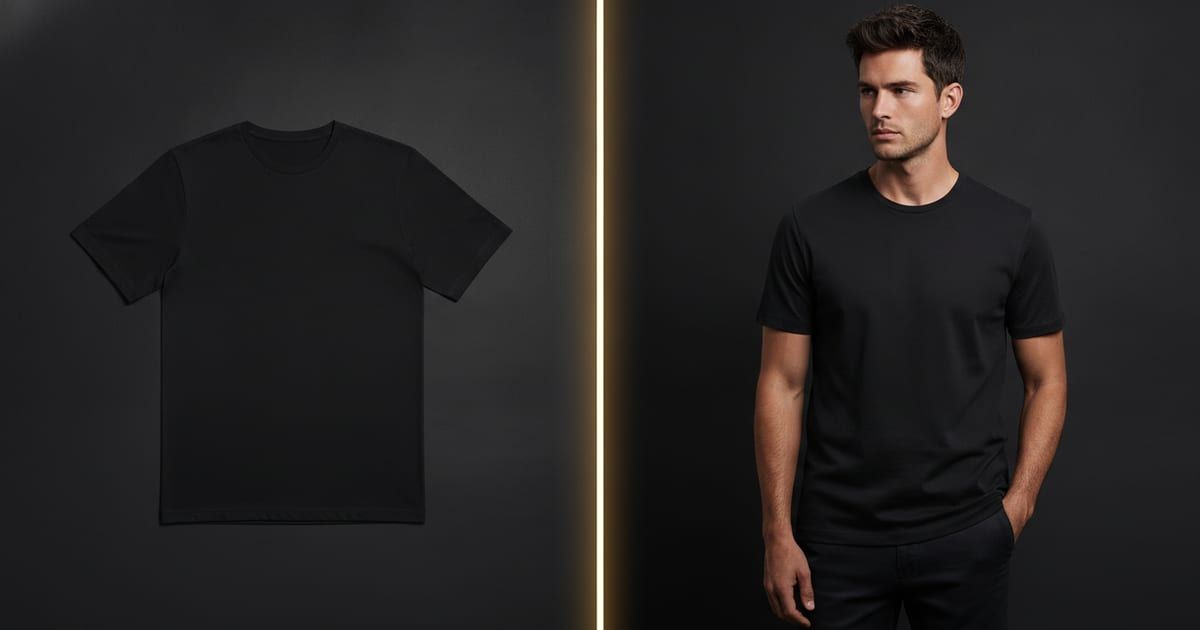
Drag the handle to see the difference between a shared template look and an image generated from a real garment:


Which should you use?
- Testing a design idea fast: Placeit or Canva — a stock template is fine for a throwaway draft.
- Already living in Canva: its built-in mockups save a step for social posts and quick concepts.
- Selling a real product: an AI generator — the photo is yours, matches your garment, and no competitor has the same image.
The categories aren’t mutually exclusive. Plenty of sellers sketch with a template to test whether a design lands, then generate the real listing photos from their own garment once it’s worth selling. What matters is not shipping template images as your storefront: on Etsy or Amazon, where the top results often use the same few blanks, identical photos push buyers to compare on price alone.
The cost that isn’t on the pricing page
All three have a price, and none of them is the real cost. The real cost of a template is sameness. When your listing photo is one thousands of shops can produce, the image stops being a reason to click. An image generated from your own garment is the cheap way out of that trap — it costs about the same as a template subscription but can’t be replicated by a competitor, because it started from your product. That’s the lens to compare them through: not price per mockup, but whether the output is yours.
Frequently Asked Questions
Is Placeit or Canva better for t-shirt mockups?
Placeit has a larger, more apparel-focused template library; Canva is more convenient if you already design there and want a free tier. Both use stock garments, so the images are shared rather than unique to your store.
What’s the difference between a template mockup and an AI mockup?
A template pastes your design onto a stock photo of someone else’s blank garment. An AI mockup generates the image from a photo of your actual garment, so the fit, fabric, and print placement match your real product and the result is unique to you.
Is there a free option?
Canva has a free tier, and Mockup Tool is free to download on iOS with generation available before you subscribe. Placeit runs on a paid subscription.
Which looks the most unique?
An image generated from your own garment, because it isn’t a shared template and it matches the product you actually ship — the opposite of a stock mockup thousands of other sellers also have.
