Blog · August 28, 2026
The AI Fashion Mockup Generator, for Designers
Short answer
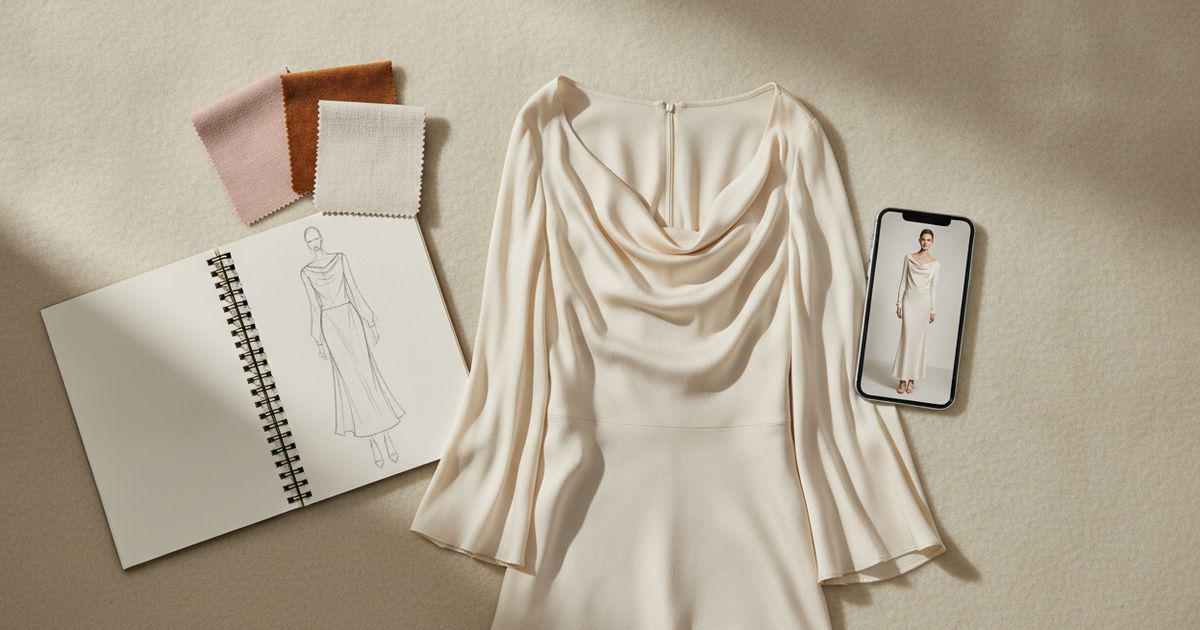
An AI fashion mockup generator turns a flat photo of your sample into an on-model image in seconds, so you can judge proportion and drape and build portfolio or pitch visuals before booking a photoshoot. It’s a preview, not a fitting — it shows how a design reads on a body, not exact garment fit — but for design decisions and presentation it replaces most early-stage shoots.
For a designer, the gap between sketch and finished lookbook is full of expensive guesses. You have a sample in hand, or a print you like, but you can’t see it on a body without a fitting or a shoot — and both cost time you don’t have when a collection is coming together. An AI fashion mockup generator closes that gap: photograph the piece flat, and it renders an on-model image you can actually judge. Here’s where that helps a design workflow, and where it doesn’t.
What it does for a design workflow
The core use is seeing a design on a person the day the sample arrives, not weeks later. Mockup Tool generates the sample on realistic models of different body types, so you get an immediate read on how the proportion, drape, and print carry — the read you’d normally wait for a fitting to give. That turns a slow, sequential process into something you can iterate on in an afternoon.
- Evaluate proportion and drape on a model within minutes of a sample landing.
- Test the same design on different body types before committing to one look.
- Compare colorways or print placements side by side without reshooting.
- Produce presentation images while the collection is still being finalized.
Portfolios, pitches, and pre-orders
The images do double duty. The same on-model render that helped you make a design call also drops straight into a portfolio, a client pitch, or a pre-order page. For an independent designer, that means presenting a collection like an established brand — professionally shot-looking visuals — before spending on inventory or a studio day. It’s the difference between pitching with flat lays and pitching with something that looks like a campaign.


Where the limit is — preview, not fitting
Be clear-eyed about what an AI mockup is: a visualization, not a technical fitting. It shows how a design reads on a body — silhouette, proportion, styling — but it won’t verify exact garment fit, seam placement, or how your specific fabric behaves in motion. For those, you still need a real sample on a real fit model. The mockup earns its place upstream of that: making design and presentation decisions fast and cheap, so the physical fitting is the last check, not the first look.
How to get a usable result
- Shoot the sample flat in even light, wrinkles smoothed — the cleaner the input, the cleaner the render.
- Fill the frame with the garment and keep the background plain.
- Generate on a couple of different body types to pressure-test the proportion, not just the flattering one.
- Export at 4K when the image is headed for a portfolio or print, not just screen.
Is it right for you?
If you design apparel and keep hitting the same wall — needing to see and show a piece on a body before you’ve got the budget for a shoot — this is the tool that removes it. Mockup Tool runs on iPhone, generates in about 15 seconds, and is free to download with generation before you subscribe. Start with the mockups built for fashion designers, or try the free mockup generator to see how your current sample renders.
Frequently Asked Questions
What is an AI fashion mockup generator?
It’s a tool that turns a flat photo of a garment into an on-model image using AI. For designers, it means previewing a sample on a realistic model in seconds — for design decisions and presentation — instead of waiting on a fitting or a photoshoot.
Can it replace a fit model or fitting?
No. An AI mockup is a visualization of how a design reads on a body, not a technical fitting. It won’t verify exact fit, seam placement, or fabric behavior in motion — you still need a real sample on a fit model for that. It replaces the early shoot, not the fitting.
Is it good enough for a portfolio or client pitch?
Yes. On-model renders exported at 4K work well in portfolios, pitch decks, and pre-order pages, letting independent designers present a collection professionally before investing in a studio shoot or inventory.
How do I get the best result from a sample?
Photograph the sample flat in even light with wrinkles smoothed and a plain background, fill the frame with the garment, and generate on a couple of body types. Clean input produces the cleanest on-model render.
