Blog · September 23, 2026
Jacket Mockups: How to Make Them
Short answer
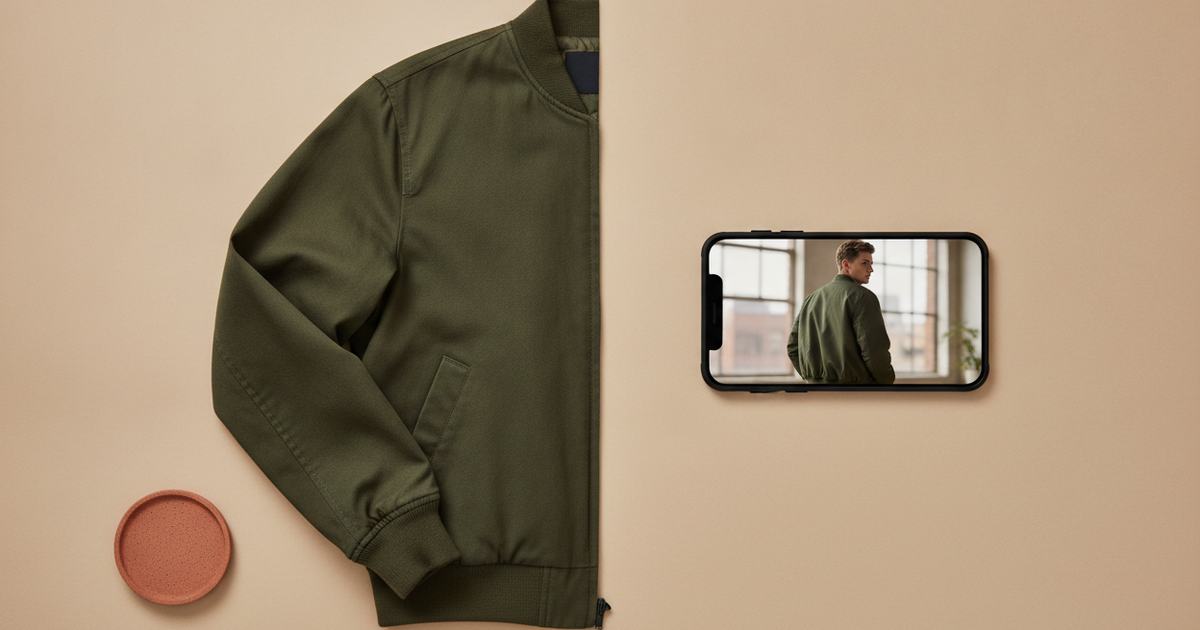
To make a jacket mockup, photograph the jacket flat in even light, then use an AI mockup generator to put it on a model — this restores the volume, silhouette, and drape a flat photo strips from outerwear. Mockup Tool builds it from your real jacket in about 15 seconds on iPhone at 4K, so your highest-ticket pieces get photography that matches their price.
Jackets carry the highest price tags in most apparel lines and the highest photography stakes to match. A $120 bomber sold with a flat photo fights an uphill battle, because outerwear is bought on silhouette, volume, and presence — none of which survive being laid on a table. The flat shot makes an expensive jacket look like a deflated shell, and at that price a shopper needs to see it worn. A mockup restores the dimension that justifies the cost.
Why outerwear suffers most from flat photos
A tee is nearly flat anyway, so a flat lay loses little. A jacket is built around volume — the structure in the shoulders, the way a puffer fills out, how a coach jacket falls from the chest. Flattened on a table, all of that collapses, and the details that signal quality (the collar stand, the cuffs, the drape of the shell) disappear with it. The more a garment relies on three dimensions, the more a flat photo undersells it — and nothing relies on them more than outerwear.
How to make a jacket mockup
- Lay the jacket flat, smooth it, and arrange the collar and cuffs so the structure reads.
- Light it evenly and shoot straight down with the whole piece — collar to hem — in frame.
- Fill the frame with the jacket; keep the background plain.
- Run it through Mockup Tool to generate it on a model — the AI restores volume and drape from your photo.
- Generate a styled, slightly angled shot; outerwear presence reads best with a bit of dimension.
Because it’s built from your real jacket, the volume, collar stand, and drape come back on the model instead of staying flat — a puffer looks full, a bomber holds its shape. Bombers, coach jackets, denim, puffers, and workwear shells all follow the same path: one flat photo in, styled on-model photography out.


What it shows — and what it doesn’t
A jacket mockup is a realistic preview of how the outerwear reads on a body — volume, silhouette, drape — not a technical fitting. It won’t certify exact measurements on a specific person or how the shell performs in weather; a real sample does that. For listing and campaign images, it replaces the studio shoot and turns your most expensive category to photograph into the easiest to present.
For small brands selling outerwear
This is where the economics bite hardest: outerwear is the priciest category to shoot and the one that most needs on-model imagery. Generating from a flat photo means a small brand can present a $120 jacket like an established label without a shoot day per piece. See the jacket mockup generator, or start with the free mockup generator.
Frequently Asked Questions
How do I make a jacket mockup?
Photograph the jacket flat in even light with the collar and cuffs arranged so the structure reads, then use an AI mockup generator like Mockup Tool to place it on a model. Building from your real garment restores the volume and drape a flat photo strips from outerwear.
Why do jackets look bad in flat photos?
Outerwear is built around volume — shoulder structure, how a puffer fills out, how a shell drapes. Flattened on a table, all of that collapses and the jacket looks like a deflated shell, which badly undersells a high-ticket piece.
Can I make jacket mockups without a model or studio?
Yes. An AI mockup generator places your jacket on a realistic model from a flat photo — no model or studio. Mockup Tool runs on iPhone, generates in about 15 seconds, and exports at 4K.
Does it work for puffers and denim jackets too?
Yes — bombers, coach jackets, denim, puffers, and workwear shells all work the same way: one flat photo in, styled on-model photography out, with the volume and drape restored from your real garment.
