Blog · August 12, 2026
3D T-Shirt Mockups: What They Are and How to Make One
Short answer
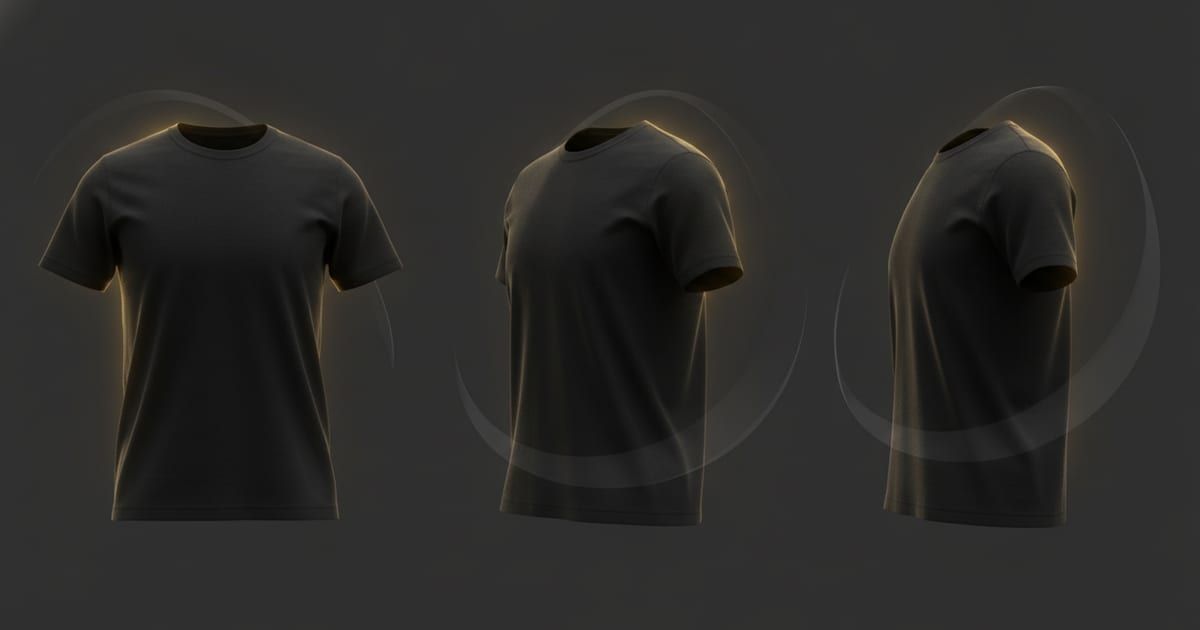
A 3D t-shirt mockup is an interactive model of a shirt you can rotate and view from any angle, instead of a single flat image. It shows how a design sits across the garment’s form — front, side, and around the seams. With Mockup Tool you can generate 3D t-shirt mockups on iPhone, spin them to any angle, and export in 4K.
Most mockups are flat: one fixed photo, one angle. A 3D t-shirt mockup is different — it’s a model of the shirt you can actually rotate, so you (and your customers) can see how a design reads from the front, the side, and around the seams. For anything with a wrap-around print or a design that runs to the edges, that extra dimension is the difference between guessing and knowing how it looks worn.
What is a 3D t-shirt mockup?
A 3D t-shirt mockup is an interactive, rotatable model of a shirt rather than a static image. Instead of one composited photo, you get a three-dimensional garment you can spin to any angle to check placement, scale, and how the fabric falls. It’s the closest thing to holding the sample before it exists.
3D vs flat mockups
A flat mockup answers one question — how does the front look. A 3D mockup answers the rest:
- Angles: see the design from the front, three-quarter, and side, not just head-on.
- Placement: check that a print sits right as the garment curves, not just where it lands flat.
- Believability: a rotatable model reads as a real product, which builds buyer confidence.
- Reuse: one 3D model gives you several still angles to fill a listing.
How to make a 3D t-shirt mockup
- Open Mockup Tool on iPhone and start from a t-shirt model or your own garment photo.
- Apply your design, then spin the model to position it across the form.
- Rotate to the angles you want and capture each one.
- Export at 4K for listings, and use the smooth 3D garment animation for social.
Drag the handle to compare a flat design with a rendered 3D-style mockup:


When to use 3D mockups
Reach for 3D when the angle matters: wrap-around or all-over prints, designs that run to the hem or sleeves, and any listing where you want more than one viewpoint. They’re also strong for social — a shirt rotating on screen stops the scroll in a way a flat image can’t. For a simple chest logo, a flat on-model shot is often enough; for everything with dimension, 3D shows what flat can’t.
What to look for in a 3D mockup tool
- True rotation — a model you can spin to any angle, not a few fixed photos.
- Realistic fabric and drape so the print follows the form.
- High-resolution (4K) export for stills, plus 3D garment animation for video-style clips.
- Runs where you work — Mockup Tool is a mobile-first iOS app.
Flat mockups will always be faster for a quick check, but they leave the hardest question — how a design actually wraps a body — unanswered. A 3D t-shirt mockup answers it before you print a single unit. You can try the 3D t-shirt tool, or start from the free mockup generator.
Frequently Asked Questions
What is a 3D t-shirt mockup?
An interactive, rotatable model of a shirt you can view from any angle, rather than a single flat image. It shows how a design sits across the garment’s form and how the fabric falls.
How is a 3D mockup different from a flat mockup?
A flat mockup is one fixed angle; a 3D mockup lets you spin the shirt to see the front, side, and how the print wraps. That matters for all-over prints and designs that run to the edges.
How do I make a 3D t-shirt mockup?
Use Mockup Tool on iPhone: start from a t-shirt model, apply your design, rotate to any angle, and export at 4K. You can also use the smooth 3D garment animation for social clips.
Can I use 3D mockups for my store and social media?
Yes. Export still angles for listings, and use the app’s 3D garment animation for scroll-stopping social clips. It’s free to download on iOS.
