Blog · July 27, 2026
How to Start a T-Shirt Business With Just an iPhone
Short answer
You can start a t-shirt business with only an iPhone: design your graphic in a phone app, use print-on-demand so you hold no inventory, create on-model product photos from a single flat-lay shot with an AI mockup app like Mockup Tool, and list on Etsy or Shopify from their mobile apps. The one step that used to require a studio — professional product photography — is now a phone photo plus a few seconds of AI.
Starting a clothing brand used to mean a laptop, design software, an inventory order, and a product photoshoot. None of that is required anymore. Every step — designing, producing, photographing, and selling — has a mobile version good enough to launch on, and the part that always cost real money, product photography, is the part AI changed most. Here’s the full workflow, from an empty idea to a live listing, run entirely from an iPhone.
What you actually need (and what you don’t)
The whole stack fits on your phone: a design app, a print-on-demand account, a mockup app for photos, and a storefront app. What you don’t need is a graphics workstation, an inventory run, a studio, a model, or a photographer. You can validate a design and get it listed before spending anything on stock.
- A design — made in a phone design app or an AI image tool.
- A product — printed on demand, so nothing is made until someone orders.
- Photos — generated from one flat-lay shot, no shoot required.
- A storefront — Etsy or Shopify, both fully operable from their mobile apps.
Step 1: Design the graphic on your phone
Start with the artwork, because it’s what you actually sell. Phone design apps and AI image tools are enough to make a print-ready graphic — aim for a high-resolution PNG with a transparent background at the size your print-on-demand service asks for. If you’re not a designer, a clean typographic or text-based design often outsells a busy illustration, and it’s far easier to get looking sharp on a phone.
Step 2: Skip inventory with print-on-demand
Print-on-demand (POD) services print and ship each shirt only when it’s ordered, so you never buy stock or hold inventory. You upload your design, pick the garments, and set your price; the POD prints, packs, and ships under your brand. This is what makes a phone-only launch possible: no upfront production cost and nothing to store. Do order one sample of your own design, though — you should see and feel what customers receive, and you’ll use that sample in the next step.
Step 3: Product photos without a photoshoot
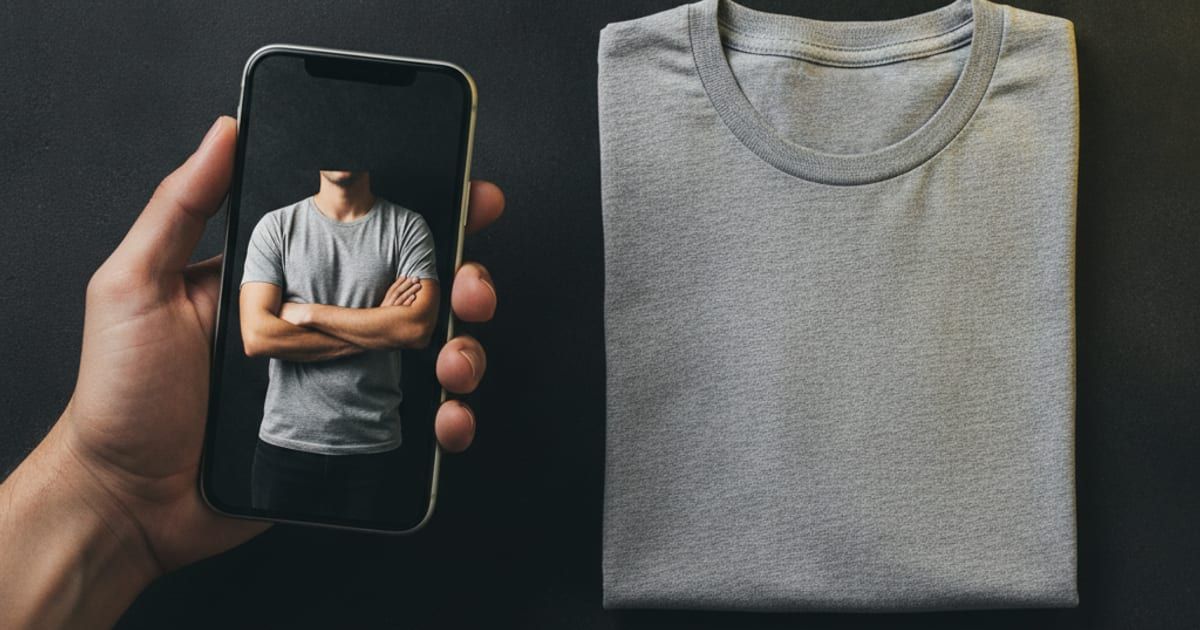
This is the step that used to force a studio, and it’s where phone-only launches usually fell apart: POD platforms hand you the same generic mockup thousands of other sellers use, so listings look identical and compete on price alone. The fix is to shoot your own sample and generate real photos from it. Lay the sample shirt flat, smooth the wrinkles, and shoot straight down in window light. Upload that photo to Mockup Tool on your iPhone and it generates an on-model image — the shirt on a realistic model with natural drape and lighting — in about 15 seconds, exported at 4K.
Because the mockup is built from your actual shirt, the print placement and fabric stay true to your product, and the image is unique to your store rather than a template every competitor also has. Vary the model and background to fill all the photo slots a listing needs. That single swap — shared template to a photo generated from your own garment — is the difference between a listing that blends in and one that looks like a real brand shot it, and it replaces the most expensive line item in a traditional launch:
Photoshoot Cost Calculator
Traditional photoshoot
$3,030
48 photos · ~6h session
AI mockups with Mockup Tool
from $0
free to download · ~15 sec per image
You save about $3,030 per session
Assumptions: ~8 finished photos per session hour, retouching $10/photo, model $150/hr, studio $75/hr. Adjust the sliders to match your local rates.
Step 4: List and sell from the phone
Both Etsy and Shopify run fully from their iOS apps: create the listing, upload your generated photos, write the description, set pricing, and publish — all from the phone. Etsy puts you in front of an existing audience of shoppers; Shopify gives you your own store to drive traffic to. Many sellers start on Etsy to validate demand, then add Shopify once a design proves itself.
There’s no one-tap plugin that pushes images from a mockup app straight into a store, so you’ll move photos through your camera roll — a minute of work per listing. That’s the only manual seam in an otherwise phone-native flow.
A realistic first-week plan
- Days 1–2: make one or two designs and order a sample of each from your POD.
- Days 3–5: while samples ship, set up your Etsy or Shopify shop from the app.
- Day 6: sample arrives — shoot flat lays and generate on-model photos in Mockup Tool.
- Day 7: publish listings with your unique photos and go live.
The barrier to starting a clothing brand was never the idea — it was the studio, the inventory, and the shoot standing between that idea and a listing that looked legitimate. On a phone, those collapse into a POD account and a few seconds of AI. Start with one good design, make it look like a real brand shot it, and put it live.
Frequently Asked Questions
Can you really start a t-shirt business with only a phone?
Yes. Design apps, print-on-demand, AI mockup apps, and the Etsy or Shopify mobile apps cover every step — design, production, photos, and selling — without a laptop, inventory, or a photoshoot.
How do I get professional product photos without a studio?
Photograph your sample shirt laid flat in good light, then use an AI mockup app like Mockup Tool to generate on-model images from that photo in about 15 seconds. Because it’s built from your real shirt, the result is unique to your store, unlike the shared templates POD platforms give everyone.
How much does it cost to start?
With print-on-demand you hold no inventory, so the main upfront cost is one sample per design. Mockup Tool is free to download on iOS with generation available before you subscribe, and a full set of listing photos costs a fraction of a single studio shot.
Do I need to be a designer?
No. Simple typographic designs often sell as well as complex art and are easy to make on a phone. The bigger differentiator is photos that look like a real brand’s — which is the part AI mockups handle.
