Blog · September 21, 2026
Jersey Mockups for Teams & Esports
Short answer
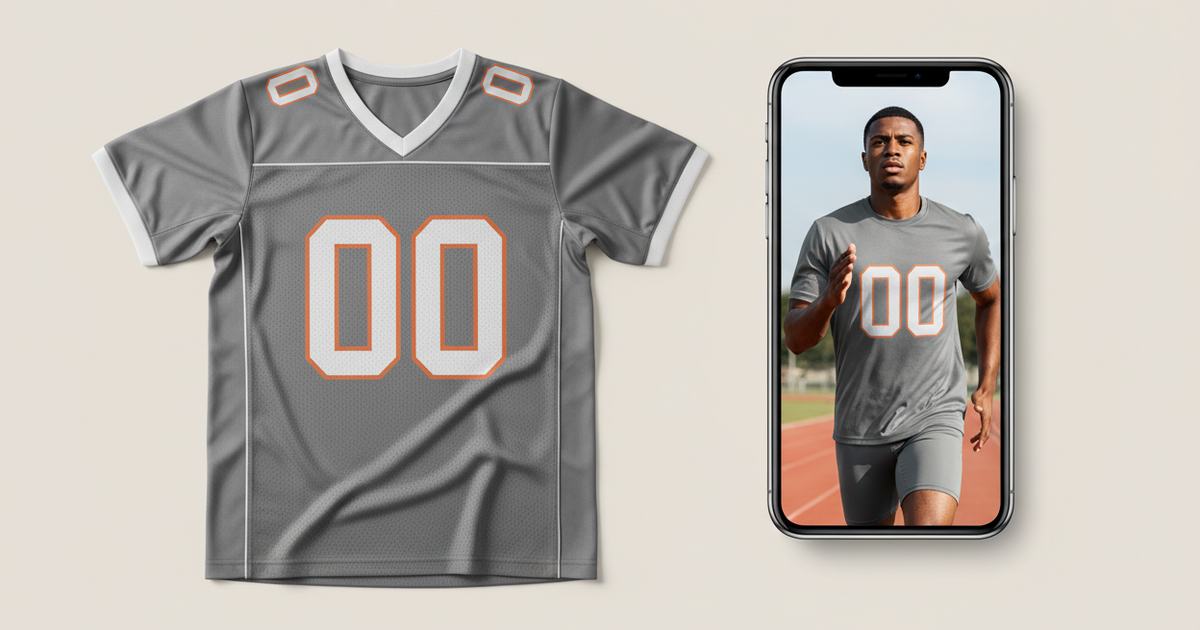
To make a jersey mockup, photograph the kit flat in even light, then use an AI mockup generator to put it on a model — this keeps the mesh texture, numbers, names, and sponsor patches a template flattens. Mockup Tool builds it from your real jersey in about 15 seconds on iPhone at 4K, so teams and buyers see the actual kit on a body.
Jerseys are detail-heavy in a way that punishes templates: mesh panels, sublimated numbers, player names, sponsor patches, contrast piping. A generic template smooths all of it into a flat, plastic-looking shirt — which is fatal when you’re selling a kit whose whole appeal is that the details are real. Whether it’s a local football club, an esports team, or a streetwear jersey line, an on-model shot built from the actual kit is what convinces a buyer the quality is there.
Why jerseys break template mockups
A jersey isn’t a blank tee with a logo — it’s structured. Mesh has visible texture, numbers and names are placed precisely, sponsor logos sit at specific spots, and piping traces the seams. Templates were built for smooth cotton, so they flatten the mesh, distort the number placement, and turn a sublimated design into a printed sticker. The result looks like a knockoff of your own product.
How to make a jersey mockup
- Lay the jersey flat, smooth it, and make sure numbers, names, and sponsor patches are fully visible.
- Light it evenly and shoot straight down so placement and mesh texture stay true.
- Fill the frame with the kit; keep the background plain.
- Run it through Mockup Tool to generate it on a realistic model — mesh and every printed detail preserved from your photo.
- Generate front and back for team-store listings and player pages.
Because it’s built from your real jersey, player names, numbers, sponsor logos, and mesh structure transfer as photographed — no template distortion. The cleaner the flat lay, the more honestly the fabric and details render on the model.


What it shows — and what it doesn’t
A jersey mockup is a realistic preview of how the kit reads on a body — fit, mesh, print placement — not a technical fitting. It won’t certify exact sizing on a specific athlete or how the fabric performs in play; a real sample does that. For team-store listings, presale pages, and sponsor decks, it replaces the studio shoot at a fraction of the cost.
For clubs, esports, and jersey lines
This is why kit sellers lean on it. Produce football jerseys for local clubs, esports team kits, or fashion jerseys for a streetwear line — photograph each kit flat and give every team-member page and store listing a proper campaign image, without booking a shoot per kit. See the jersey mockup generator, or try the free mockup generator on a kit you have now.
Frequently Asked Questions
How do I make a jersey mockup?
Photograph the jersey flat in even light with numbers, names, and sponsor patches visible, then use an AI mockup generator like Mockup Tool to place it on a model. Building from your real kit keeps the mesh texture and every printed detail a template flattens.
Why do jerseys look fake in template mockups?
Jerseys are structured — mesh texture, precise number and name placement, sponsor patches, piping. Templates built for smooth cotton flatten the mesh and distort placement, so a sublimated kit ends up looking like a printed sticker rather than the real product.
Can I make jersey mockups for a whole team without a shoot?
Yes. Photograph each kit flat and generate on-model images with an AI mockup generator — front and back for every player page and store listing. Mockup Tool runs on iPhone, generates in about 15 seconds, and exports at 4K.
Do numbers and sponsor logos stay accurate?
They transfer as photographed because the image is built from your real jersey, not a generic template. The clearer your flat lay, the more precisely names, numbers, and sponsor logos render on the model.
