Blog · September 18, 2026
Tank Top Mockups: How to Make Them
Short answer
To make a tank top mockup, photograph the tank flat in even light with the straps and neckline laid out, then use an AI mockup generator to put it on a model. Because tanks vary so much — racerback, muscle, classic — generating from your real garment keeps the strap width, armhole, and neckline accurate, which a stock template can’t. Mockup Tool does it in about 15 seconds on iPhone at 4K.
Tank tops are the garment templates get most wrong. Strap width, armhole depth, and neckline shape swing hugely between a racerback, a muscle tank, and a classic cut — and those are exactly the details a shopper is judging. Drop your design onto a generic tank template and you’re showing a garment that isn’t the one you ship. A mockup built from your actual tank keeps all three truthful, and you can make it without a shoot.
Why templates fail tanks specifically
With a t-shirt, most blanks look roughly alike, so a template is a passable stand-in. Tanks don’t work that way — the cut is the product. A stock template locks you into one strap width and armhole, so a customer who receives a narrower-strap racerback than the photo showed feels misled, and you eat the return. The variation that makes tanks appealing is the same variation a template can’t represent.
How to make a tank top mockup
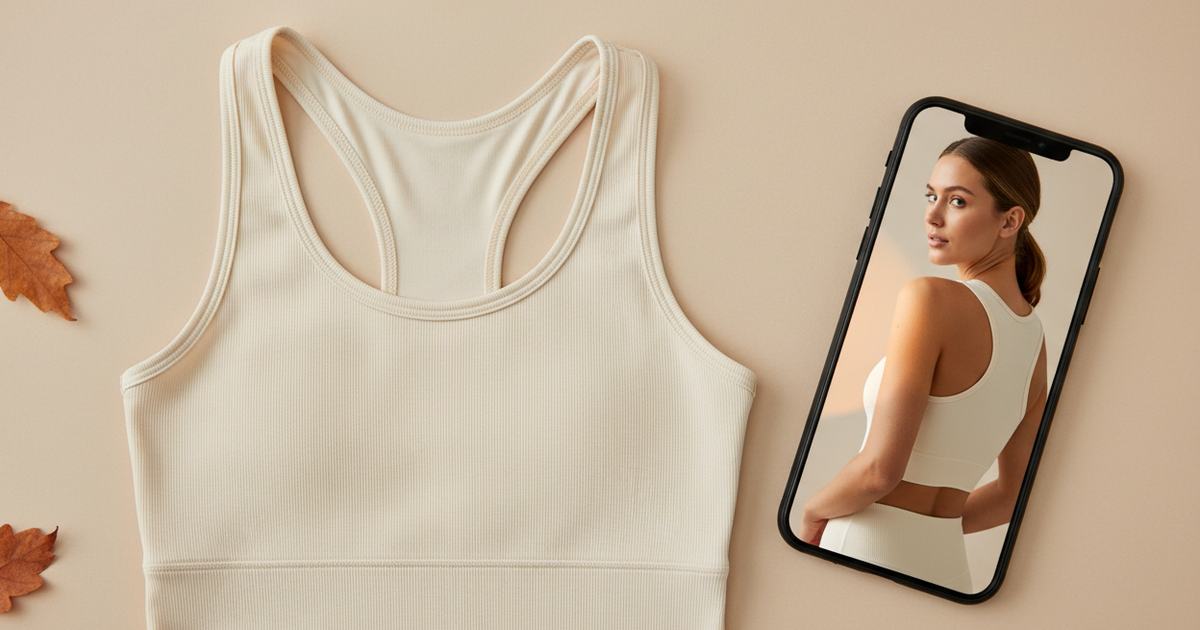
- Lay the tank flat, smooth it, and spread the straps so the neckline and armholes are clearly visible.
- Light it evenly and shoot straight down so the cut stays true.
- Fill the frame with the garment; keep the background plain.
- Run it through Mockup Tool to generate the tank on a realistic model — straps and neckline rendered from your real piece.
- Generate on a couple of body types and match the backdrop to the channel.
Because the image is built from your real tank rather than a stock blank, the strap width, armhole, and neckline carry over accurately — a racerback reads as a racerback, not a generic vest. The cleaner the flat lay, the more faithful the result.


Speed is the point for a drop
Tanks sell in windows — summer collections, festival season, new-year gym campaigns — and the brand with visuals ready first wins the window. Generating from a flat photo means a new colorway goes from delivery box to live listing in the same hour, no model day per SKU. Photograph the rack, generate the set, publish. See the tank top mockup generator, or try the free mockup generator on a tank you have now.
What it shows — and what it doesn’t
A tank top mockup is a realistic preview of the cut and fit on a body, not a technical fitting. It shows how the straps and neckline read; it won’t certify exact strap length on a specific person or how the fabric moves in wear. For listing and social images — the everyday need — it replaces the studio shoot at a fraction of the cost.
Frequently Asked Questions
How do I make a tank top mockup?
Photograph the tank flat in even light with the straps and neckline spread, then use an AI mockup generator like Mockup Tool to place it on a model. Building from your real garment keeps the strap width, armhole, and neckline accurate — details a template gets wrong.
Why don’t template mockups work for tank tops?
Tanks vary a lot — racerback, muscle, classic — in strap width, armhole depth, and neckline. A stock template shows one fixed shape, so it misrepresents your actual garment and can drive returns. Generating from your real tank keeps those details truthful.
Can I make tank mockups without a model or shoot?
Yes. An AI mockup generator places your tank on a realistic model from a flat photo — no model booking or studio. Mockup Tool runs on iPhone, generates in about 15 seconds, and exports at 4K, so a new colorway can be listed the same hour it arrives.
Will the mockup match my tank’s actual cut?
It builds from a photo of your real garment, so the strap, armhole, and neckline carry over rather than defaulting to a template’s shape. The clearer your flat lay — straps spread, neckline visible — the more accurate the render.
