Blog · August 21, 2026
Zip-Up Hoodie Mockups: How to Make Realistic Ones
Short answer
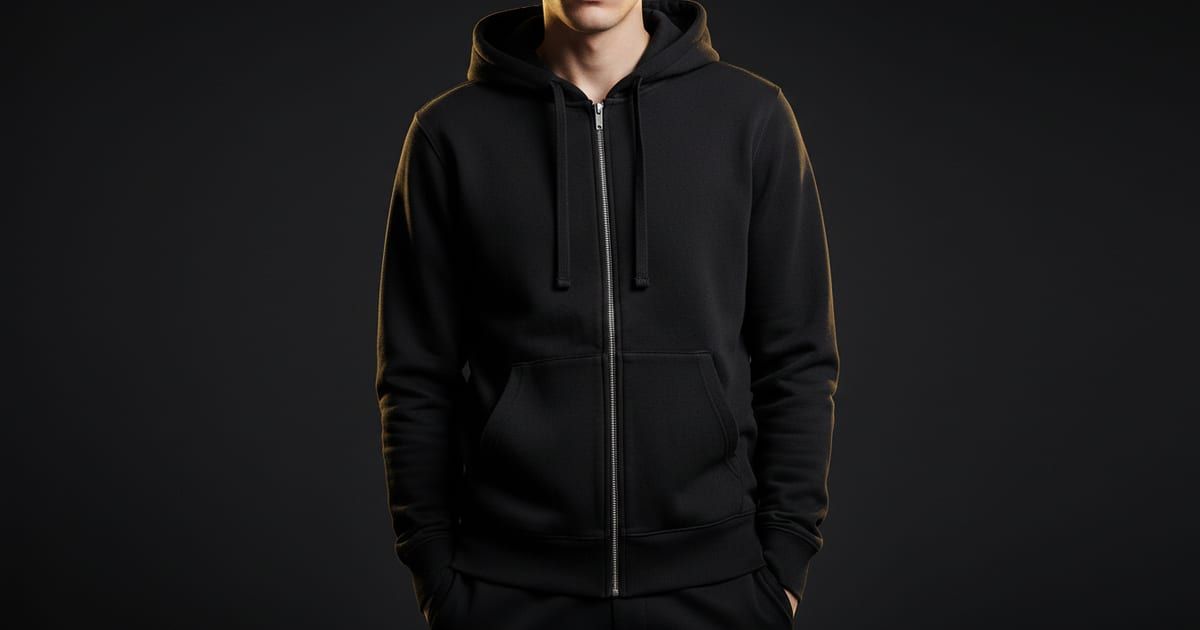
The most realistic way to make a zip-up hoodie mockup is to photograph your actual hoodie laid flat and generate an on-model image from it with an AI mockup app like Mockup Tool. Because it’s built from your real garment, the zipper, drawstrings, hood, and ribbed cuffs carry over accurately — the details generic template mockups usually get wrong.
A t-shirt is basically a printable rectangle. A zip-up hoodie isn’t — it has a full-length zipper that has to line up, a hood that should sit naturally, drawstrings, ribbed cuffs and hem, and often a split front pocket. Those are exactly the parts a generic mockup gets wrong, and exactly the parts a buyer inspects before paying hoodie prices. Here’s how to make zip-up hoodie mockups that actually look like your product.
What makes zip-up hoodies hard to mock up
- The zipper has to run straight and align at the collar and hem.
- The hood should fall naturally, not look pasted on.
- Drawstrings need to read as real, even cord — not a printed line.
- Ribbed cuffs and hem are a signature detail that flat “t-shirt skin” kills.
- Split front pockets and the way the zip breaks a design all have to make sense.
Why template mockups struggle here
Template libraries hand you a stock zip-up blank and paste your artwork on top. The hoodie in the photo isn’t yours, so the zipper style, hood shape, and cuff ribbing belong to whatever they shot — and your design floats flat over a garment with real depth. For a structured piece bought on those details, that mismatch is obvious, and it’s shared by every other shop using the same template.
Generate from your real hoodie
The fix is to start from your actual hoodie. Photograph it laid flat and use Mockup Tool to generate an on-model image from that photo — a realistic model wearing your exact hoodie, in about 15 seconds on iPhone at 4K. Because the mockup derives from your garment, the zipper, drawstrings, hood, and ribbing carry over as they really are, and the image is unique to your store. See the zip-up hoodie mockups page for examples, or start with the free mockup generator.
How to photograph a zip-up hoodie for a clean mockup
- Decide zipped or unzipped and shoot it that way — the mockup reproduces what it sees.
- Zip it fully (or set it exactly as you want), then smooth every wrinkle.
- Lay the drawstrings evenly and keep the hood shaped naturally.
- Keep cuffs and hem ribbing visible; don’t tuck them under.
- Shoot straight down in soft window light, with margin around the garment.
Drag the handle to compare a flat hoodie photo with the generated on-model result:


Show it worn, and show the detail
Lead your listing with the on-model shot so buyers can judge fit and how the hood and zip sit when worn. Then add a close-up that shows the zipper pull, drawstring tips, and cuff ribbing — the details that signal quality on a hoodie. Generating from one flat photo makes it easy to produce both, plus colorway variations, without a second shoot.
Zip-up hoodies punish generic mockups because there’s so much structure to get wrong. Build the image from your own garment and the hardware, hood, and ribbing come out right — which is what makes the listing look like a real brand’s rather than a template.
Frequently Asked Questions
How do I make a realistic zip-up hoodie mockup?
Photograph your actual hoodie laid flat and use an AI mockup app like Mockup Tool to generate an on-model image from that photo. Because it’s built from your garment, the zipper, drawstrings, hood, and cuffs stay accurate.
Why do template hoodie mockups look off?
They use a stock zip-up blank that isn’t your hoodie, so the zipper style, hood shape, and ribbing belong to whatever the library shot — and your design sits flat on top. Generating from your real hoodie fixes both.
Can I show the hoodie zipped and unzipped?
Yes — photograph it the way you want it shown. The mockup reproduces what it sees, so set the zipper and hood exactly as you’d like them to appear before you shoot.
Do I need a model for hoodie photos?
No. The AI generates the on-model image from your flat hoodie photo, so you get the worn shot without hiring a model or booking a shoot.
